

Manage your team
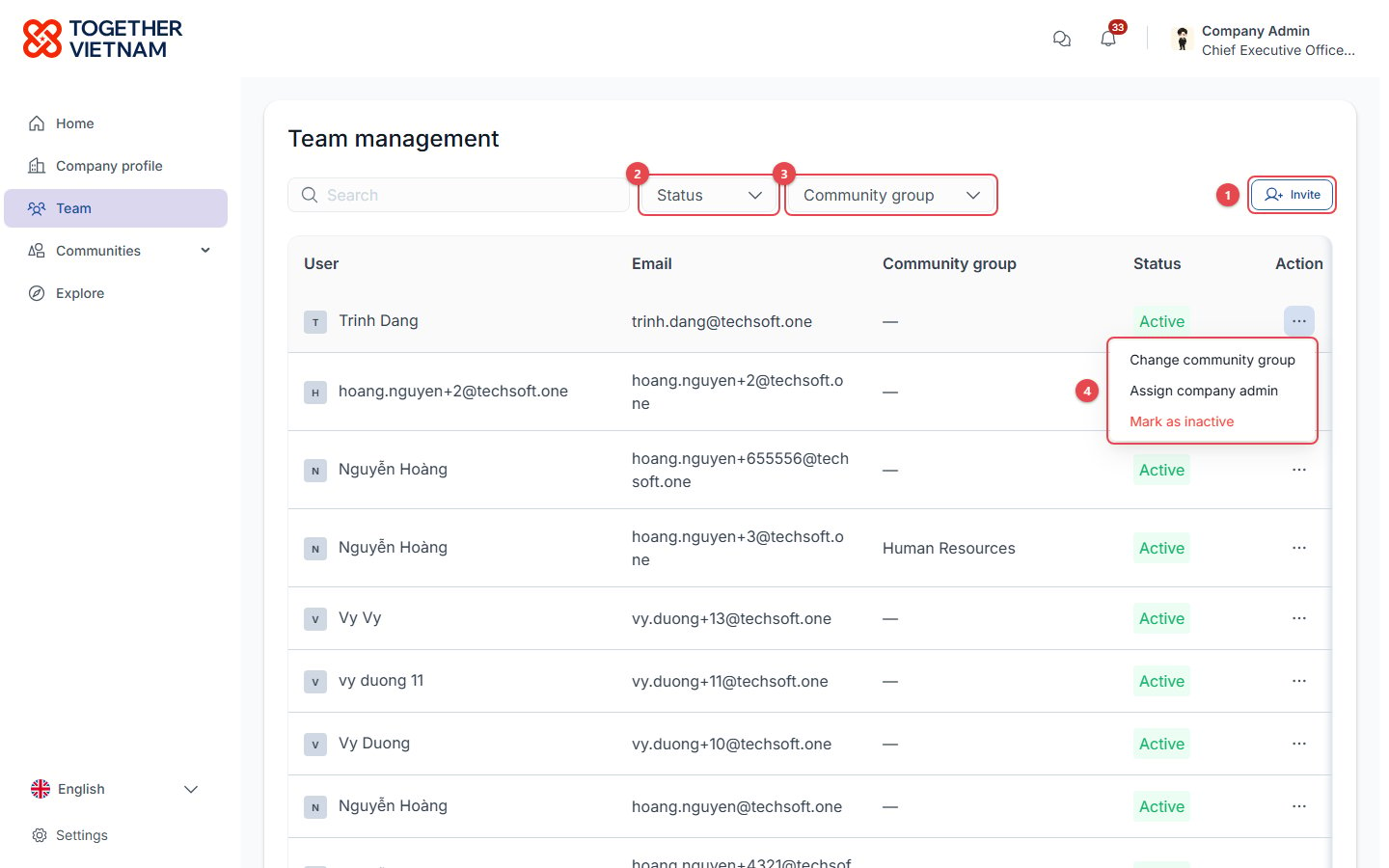
- Invite: add colleagues by email (they must use your company domain) and give them community groups.
- Status filter: Active, Inactive or Pending.
- Community group filter.
- … (Action) menu on each colleague:
- Change community group: changes which content the person can see.
- Assign company admin: hands over the admin role. You become a regular member.
- Mark as inactive / Mark as active: inactive members lose access until reactivated.
Register employees for events
Company admins see Register member on event pages, instead of Register.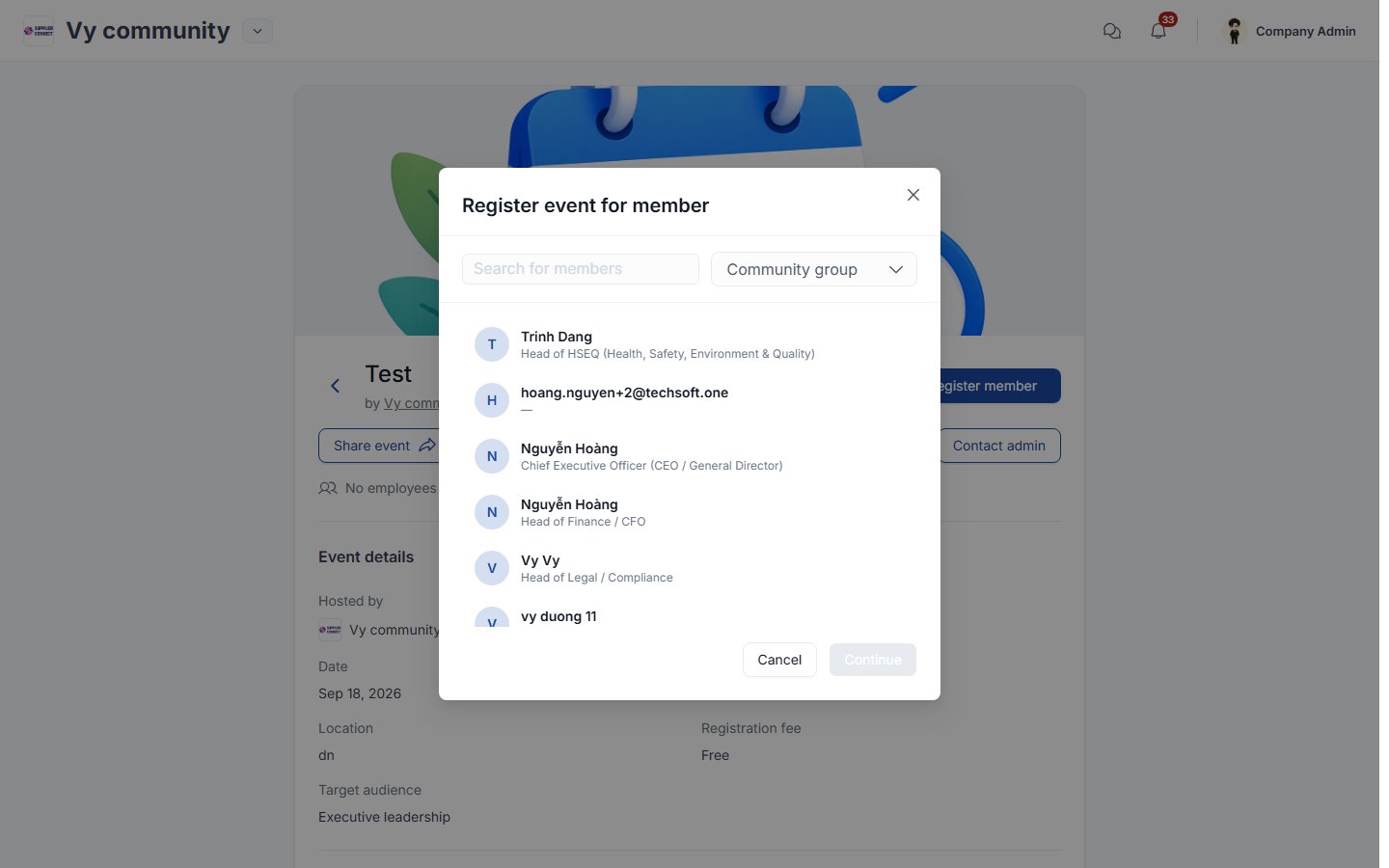
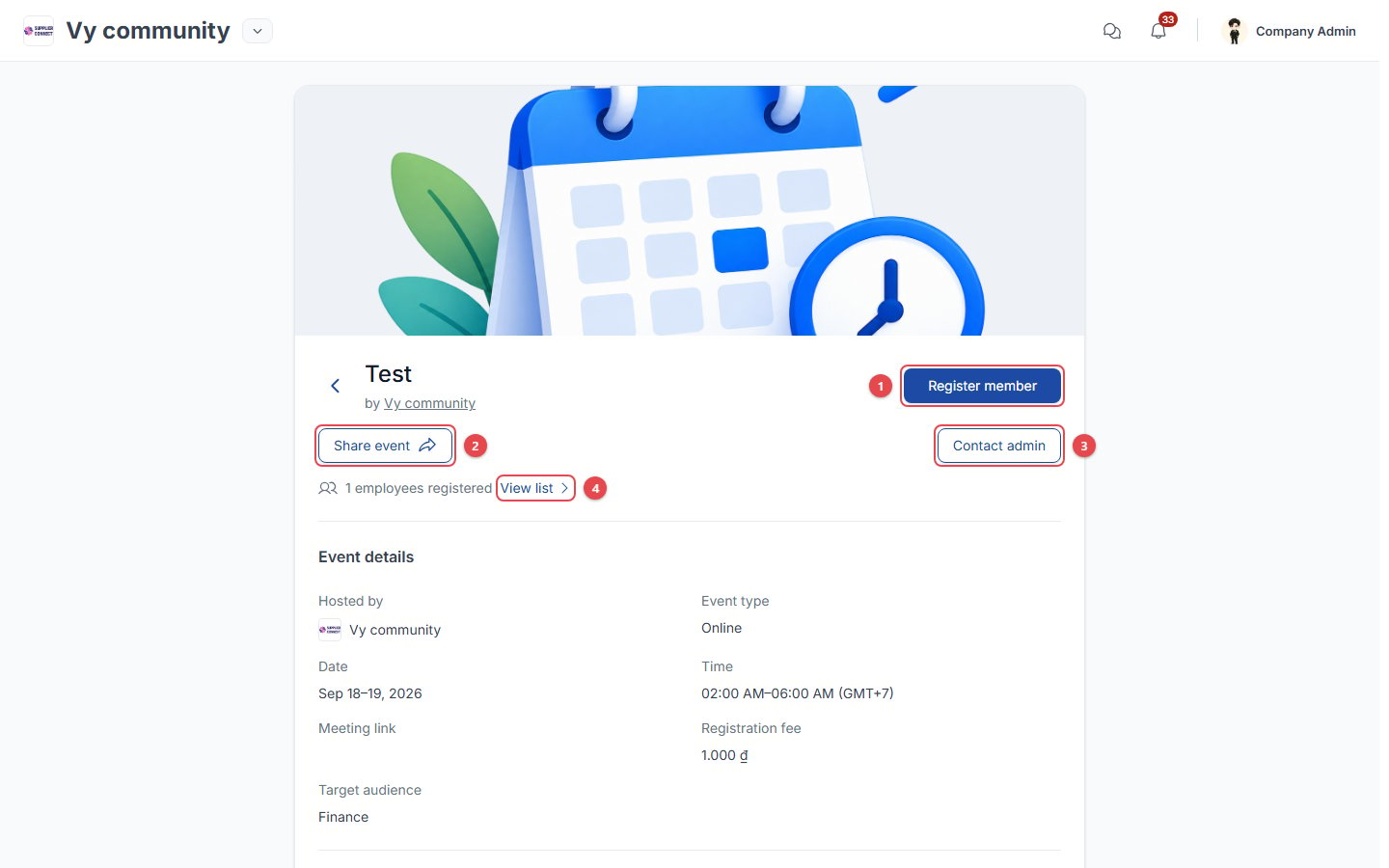
- Register member: register a colleague (see above).
- Share event.
- Contact admin.
- View list: see which of your employees are registered.