

Events tab
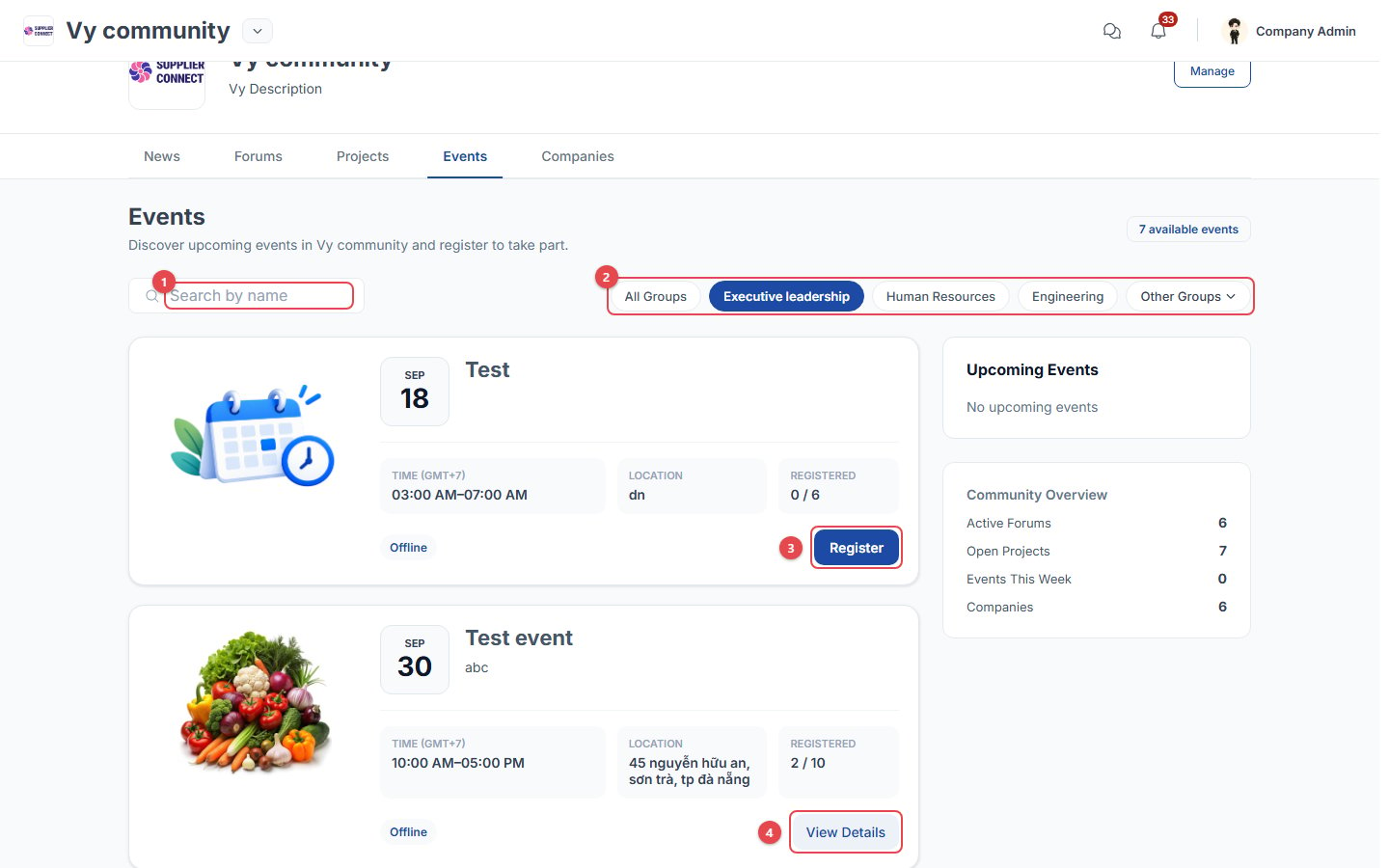
- Search events by name.
- Filter by community group: All Groups, Executive leadership, Human Resources, and so on.
- Register: open the event and register.
- View Details: opens the event page. Each card also shows the time, the location and the number of seats taken (for example Registered 2 / 10).
Register for an event
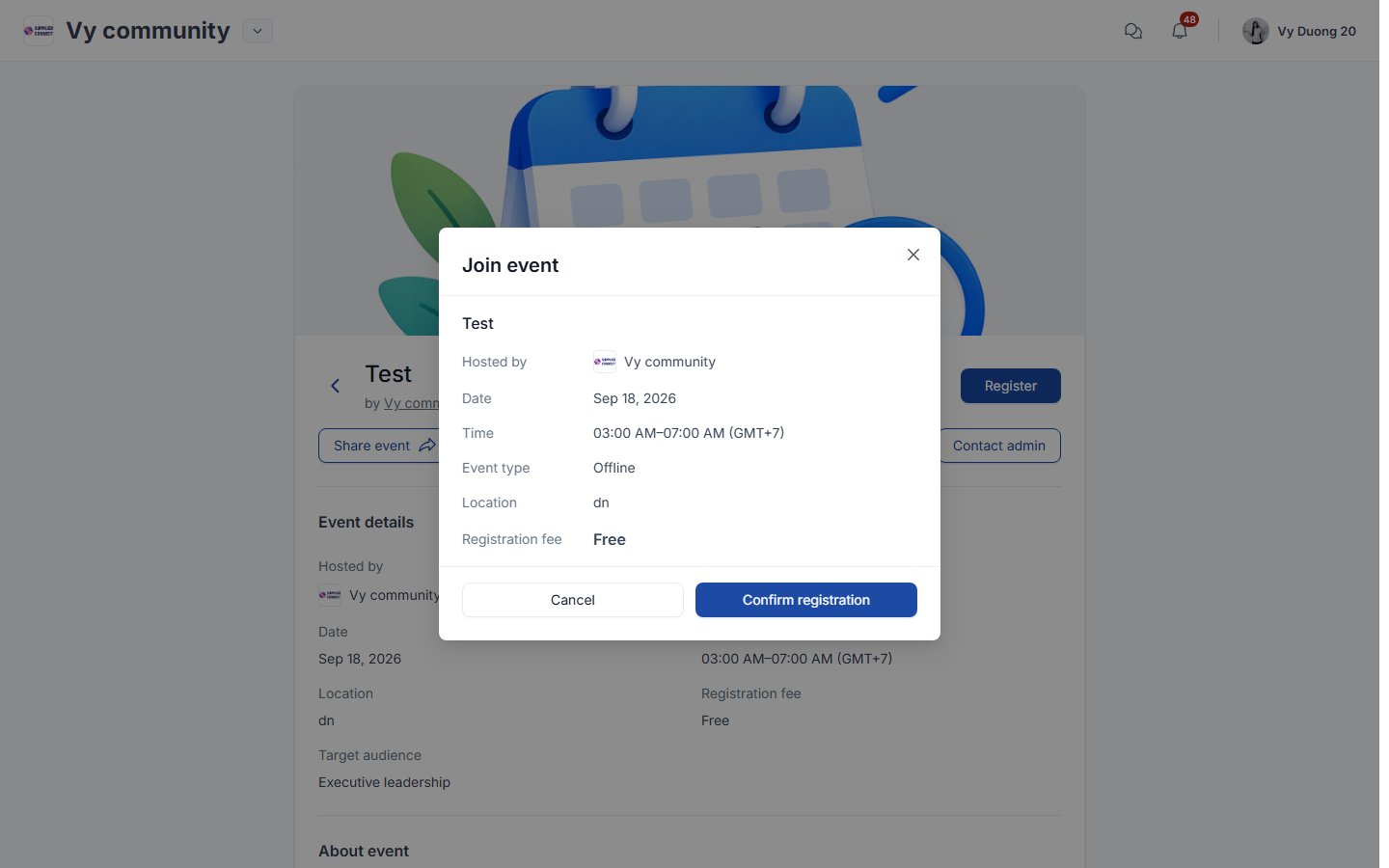
- For a free event, click Confirm registration.
- For a paid event, click Continue to payment and follow the flow below.
After registering
The event page shows your status: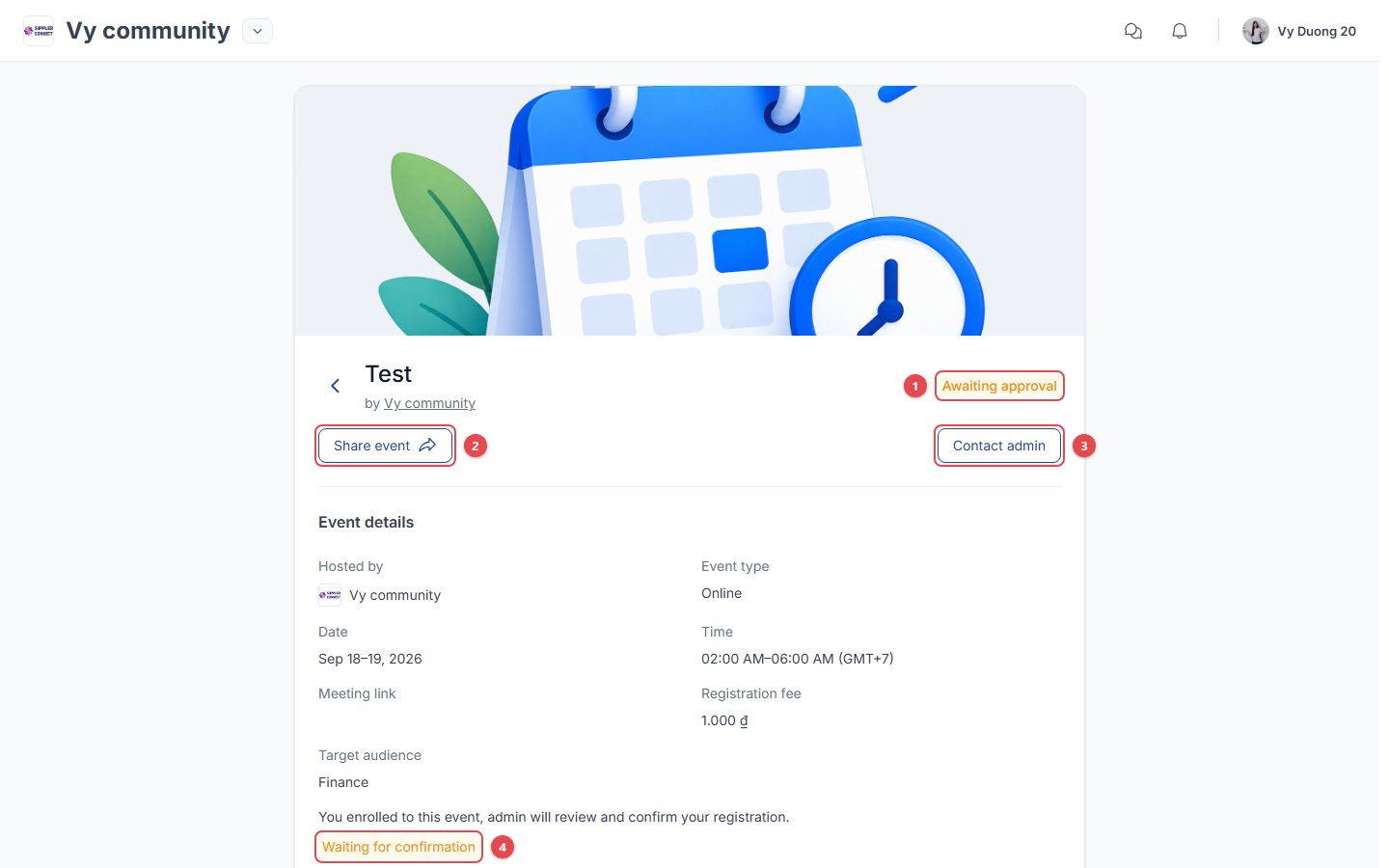
- Awaiting approval: the community admin hasn’t confirmed your registration yet. It changes to Registered (or Rejected).
- Share event: share it on social networks or copy the link.
- Contact admin: send a question to the Together Vietnam team.
- Waiting for confirmation: the same status, shown under the event details.
Company admins see Register member instead of Register, so they can register colleagues. See Company admin: Team.