> ## Documentation Index
> Fetch the complete documentation index at: https://docs.together-vietnam.com/llms.txt
> Use this file to discover all available pages before exploring further.
# Find your way around
> What each item in the TV Community sidebar, top bar, and Home page does.
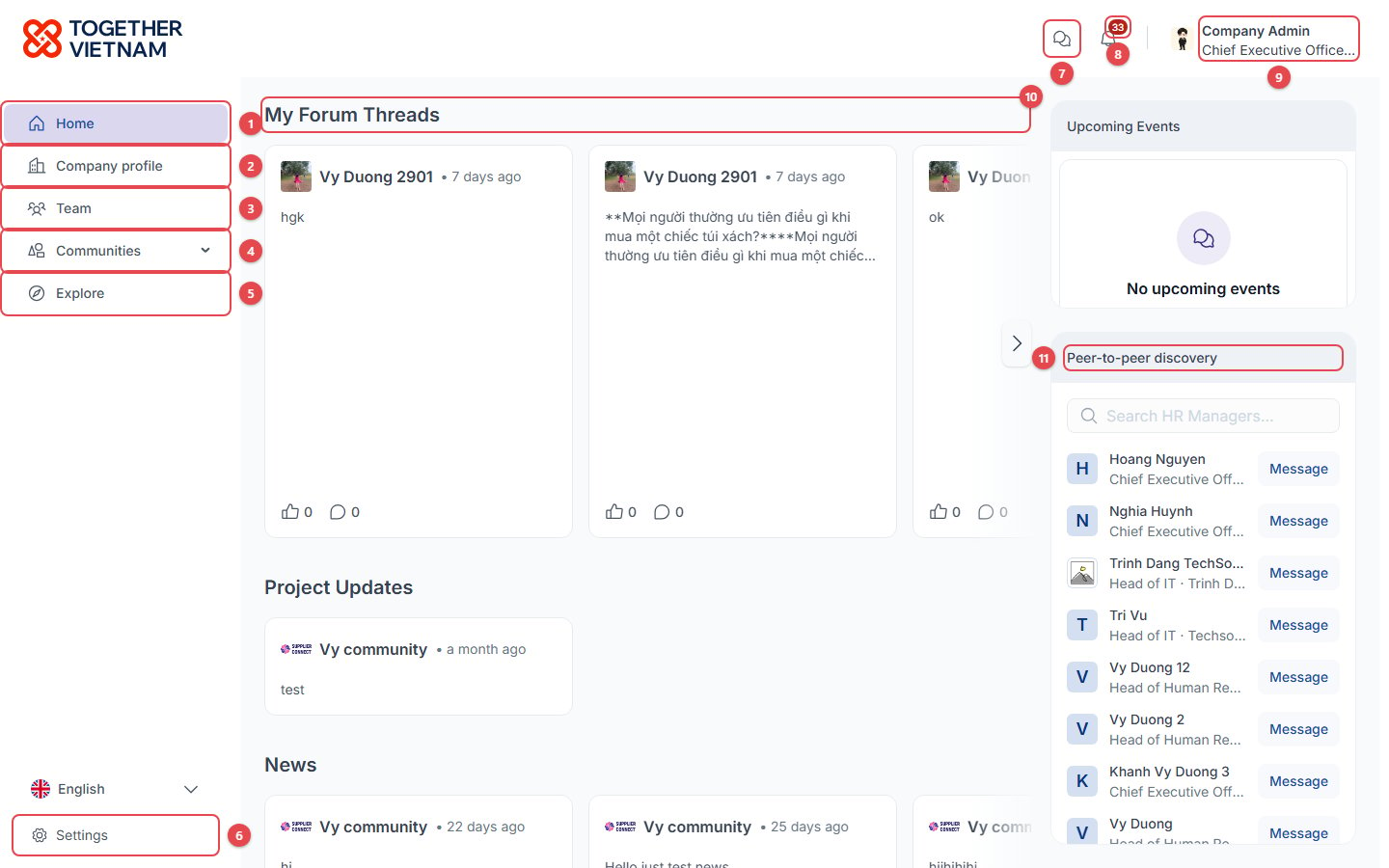 **Left sidebar:**
1. **Home**: your personal feed. See [Home feed](/community/home-feed).
2. **Company profile**: your company's profile. See [Your profile and company profile](/account/profiles#company-profile).
3. **Team**: your colleagues. Company admins can [manage them here](/admin/company-admin).
4. **Communities**: click the arrow to list the communities your company has joined, and open one.
5. **Explore**: discover and [join new communities](/community/join-communities).
6. **Settings**: Home feed layout and notification preferences. The **Language** switch sits just above it. See [Settings](/account/settings).
**Top bar:**
7. **Chats**: direct messages. See [Chats](/community/chats).
8. **Notifications**: the number shows how many are unread.
9. **Your name**: opens the account menu (see below).
**Home sections:**
10. **My Forum Threads** and the other feed sections (Project Updates, News, …). Use **›** to scroll through the cards.
11. **Peer-to-peer discovery**: people with the same role as you. Click **Message** to start a chat.
## Account menu
**Left sidebar:**
1. **Home**: your personal feed. See [Home feed](/community/home-feed).
2. **Company profile**: your company's profile. See [Your profile and company profile](/account/profiles#company-profile).
3. **Team**: your colleagues. Company admins can [manage them here](/admin/company-admin).
4. **Communities**: click the arrow to list the communities your company has joined, and open one.
5. **Explore**: discover and [join new communities](/community/join-communities).
6. **Settings**: Home feed layout and notification preferences. The **Language** switch sits just above it. See [Settings](/account/settings).
**Top bar:**
7. **Chats**: direct messages. See [Chats](/community/chats).
8. **Notifications**: the number shows how many are unread.
9. **Your name**: opens the account menu (see below).
**Home sections:**
10. **My Forum Threads** and the other feed sections (Project Updates, News, …). Use **›** to scroll through the cards.
11. **Peer-to-peer discovery**: people with the same role as you. Click **Message** to start a chat.
## Account menu
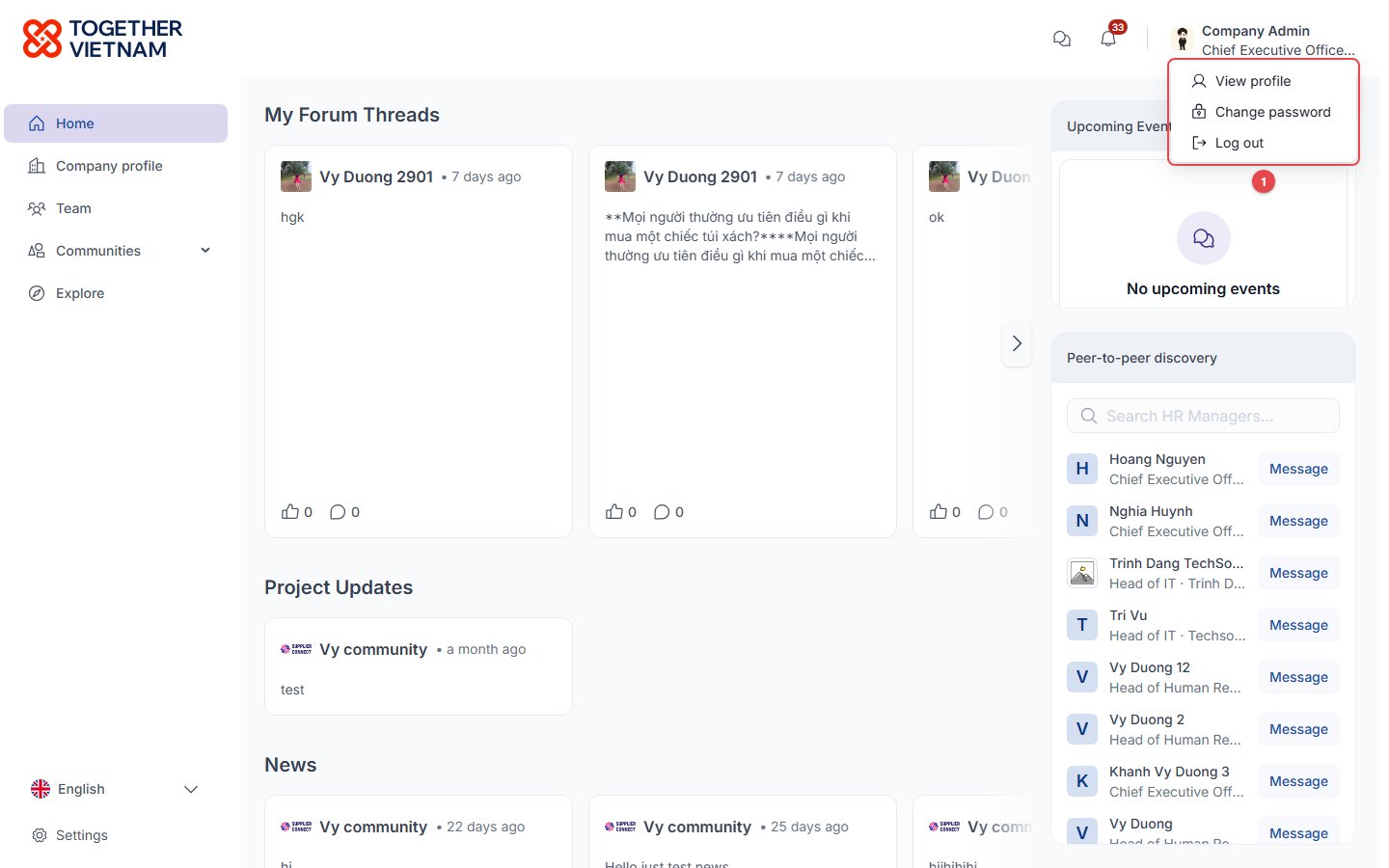 1. **Account menu**: **View profile**, **Change password**, **Log out**.
## Notifications
1. **Account menu**: **View profile**, **Change password**, **Log out**.
## Notifications
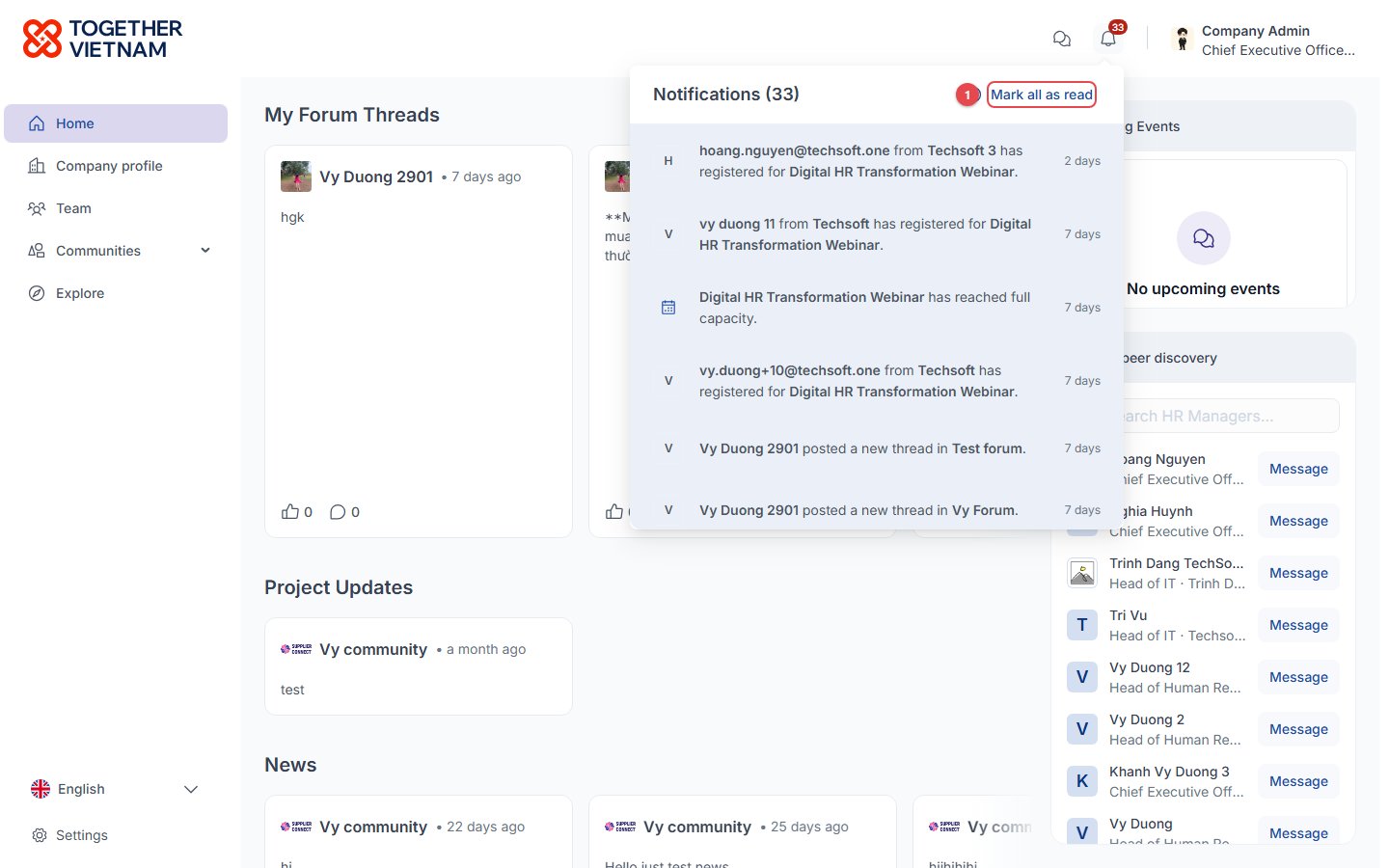 1. **Mark all as read**: clear the unread count. Notifications cover events, forums, projects, join requests and team changes.
To choose which notifications you get, see [Settings](/account/settings#notifications).
This documentation is built and hosted on [Mintlify](https://mintlify.com), a developer documentation platform.
1. **Mark all as read**: clear the unread count. Notifications cover events, forums, projects, join requests and team changes.
To choose which notifications you get, see [Settings](/account/settings#notifications).
This documentation is built and hosted on [Mintlify](https://mintlify.com), a developer documentation platform.