> ## Documentation Index
> Fetch the complete documentation index at: https://docs.together-vietnam.com/llms.txt
> Use this file to discover all available pages before exploring further.
# Manage events
> Create events, review attendees and payments, and share event materials.
## Create an event
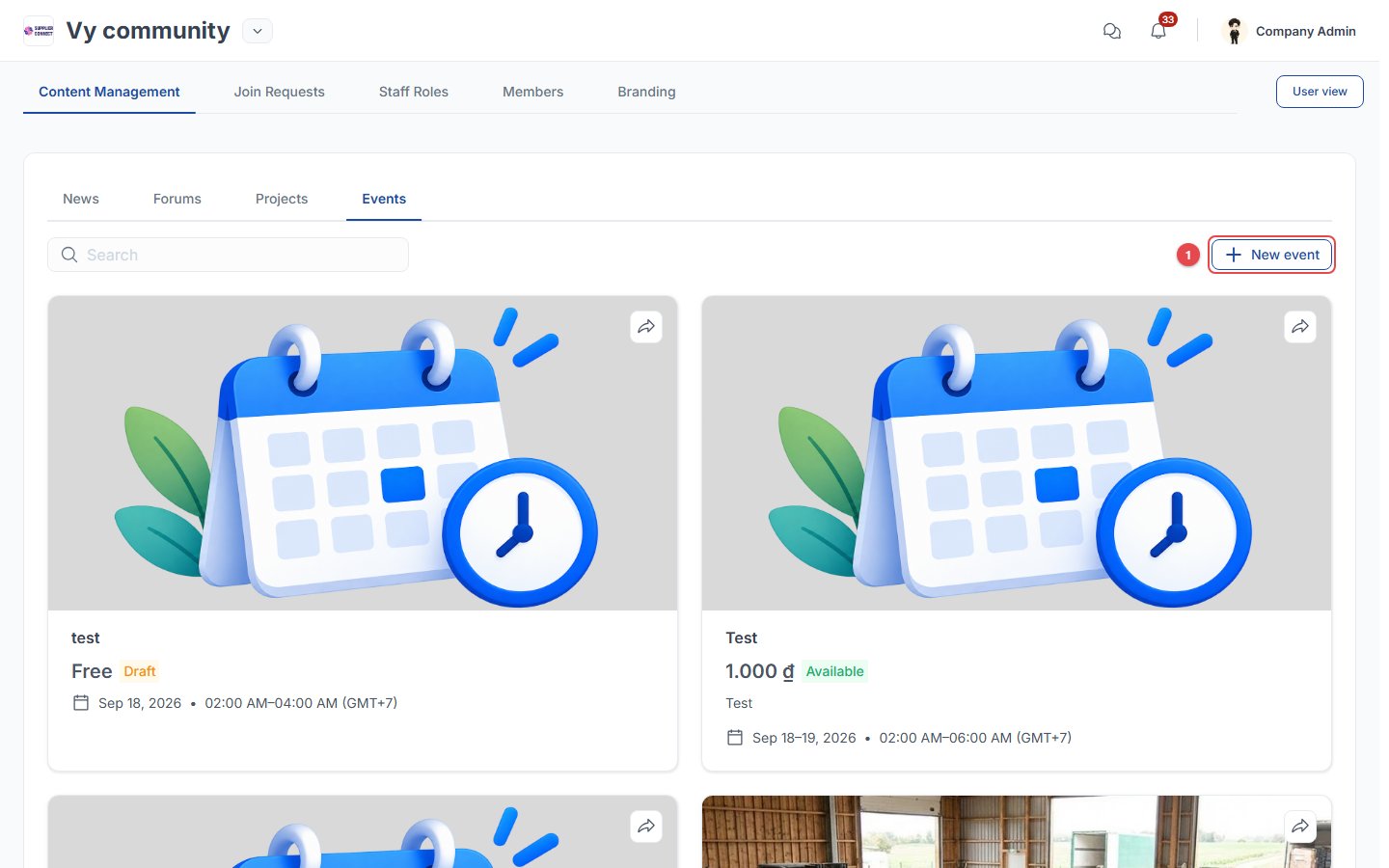 Click **New event** (1), then:
Enter the name, description and thumbnail.
Set the date and time. Multi-day events are supported.
Choose **Online** (meeting link), **Offline** (location) or **Hybrid**.
Set the capacity, or no limit.
Choose **Free** or **Paid**. For a paid event, add the registration fee and payment information (bank details and/or QR code).
Set the target audience.
Click **Save as draft** or **Publish**.
## Attendees and materials
Click **New event** (1), then:
Enter the name, description and thumbnail.
Set the date and time. Multi-day events are supported.
Choose **Online** (meeting link), **Offline** (location) or **Hybrid**.
Set the capacity, or no limit.
Choose **Free** or **Paid**. For a paid event, add the registration fee and payment information (bank details and/or QR code).
Set the target audience.
Click **Save as draft** or **Publish**.
## Attendees and materials
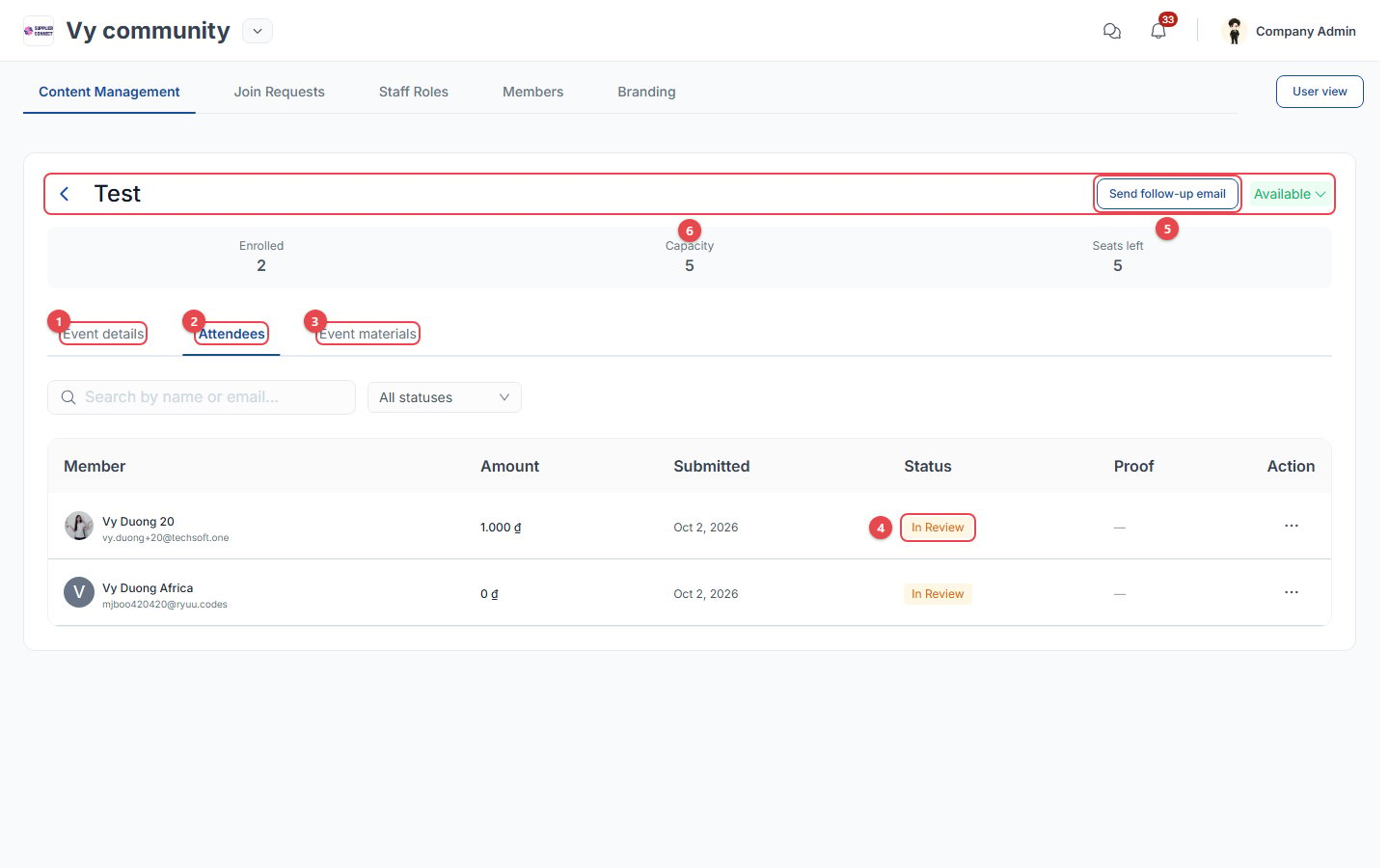 1. **Event details**: edit the event.
2. **Attendees**: everyone who registered, with the amount, submission date, status and proof of payment.
3. **Event materials**: upload photos, videos, documents and links. Choose whether *all community members* or *only attendees* can see them.
4. **In Review**: open the row's **…** menu to **Confirm payment** or **Reject payment**.
5. **Send follow-up email**: send a *Pre-event update* or *Post-event follow-up* to attendees, or an *Event invitation* to members who haven't registered.
6. **Status**: change it to **Mark as full** or **Cancel event**.
This documentation is built and hosted on [Mintlify](https://mintlify.com), a developer documentation platform.
1. **Event details**: edit the event.
2. **Attendees**: everyone who registered, with the amount, submission date, status and proof of payment.
3. **Event materials**: upload photos, videos, documents and links. Choose whether *all community members* or *only attendees* can see them.
4. **In Review**: open the row's **…** menu to **Confirm payment** or **Reject payment**.
5. **Send follow-up email**: send a *Pre-event update* or *Post-event follow-up* to attendees, or an *Event invitation* to members who haven't registered.
6. **Status**: change it to **Mark as full** or **Cancel event**.
This documentation is built and hosted on [Mintlify](https://mintlify.com), a developer documentation platform.