> ## Documentation Index
> Fetch the complete documentation index at: https://docs.together-vietnam.com/llms.txt
> Use this file to discover all available pages before exploring further.
# Company admin: Team
> Manage your colleagues and register them for events.
## Manage your team
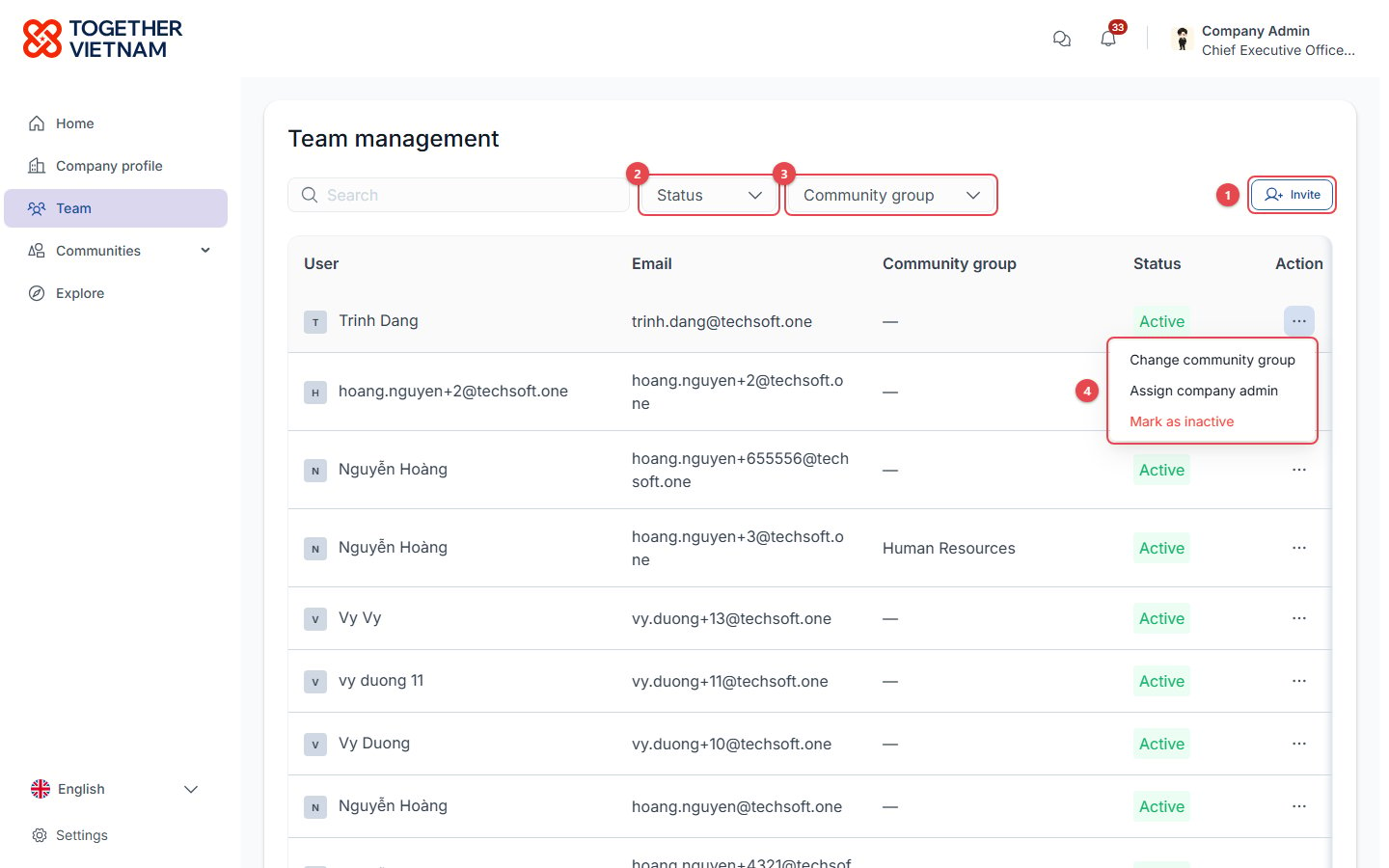 1. **Invite**: add colleagues by email (they must use your company domain) and give them [community groups](/onboarding/community-groups).
2. **Status** filter: Active, Inactive or Pending.
3. **Community group** filter.
4. **… (Action) menu** on each colleague:
* **Change community group**: changes which content the person can see.
* **Assign company admin**: hands over the admin role. **You become a regular member.**
* **Mark as inactive** / **Mark as active**: inactive members lose access until reactivated.
## Register employees for events
Company admins see **Register member** on event pages, instead of Register.
1. **Invite**: add colleagues by email (they must use your company domain) and give them [community groups](/onboarding/community-groups).
2. **Status** filter: Active, Inactive or Pending.
3. **Community group** filter.
4. **… (Action) menu** on each colleague:
* **Change community group**: changes which content the person can see.
* **Assign company admin**: hands over the admin role. **You become a regular member.**
* **Mark as inactive** / **Mark as active**: inactive members lose access until reactivated.
## Register employees for events
Company admins see **Register member** on event pages, instead of Register.
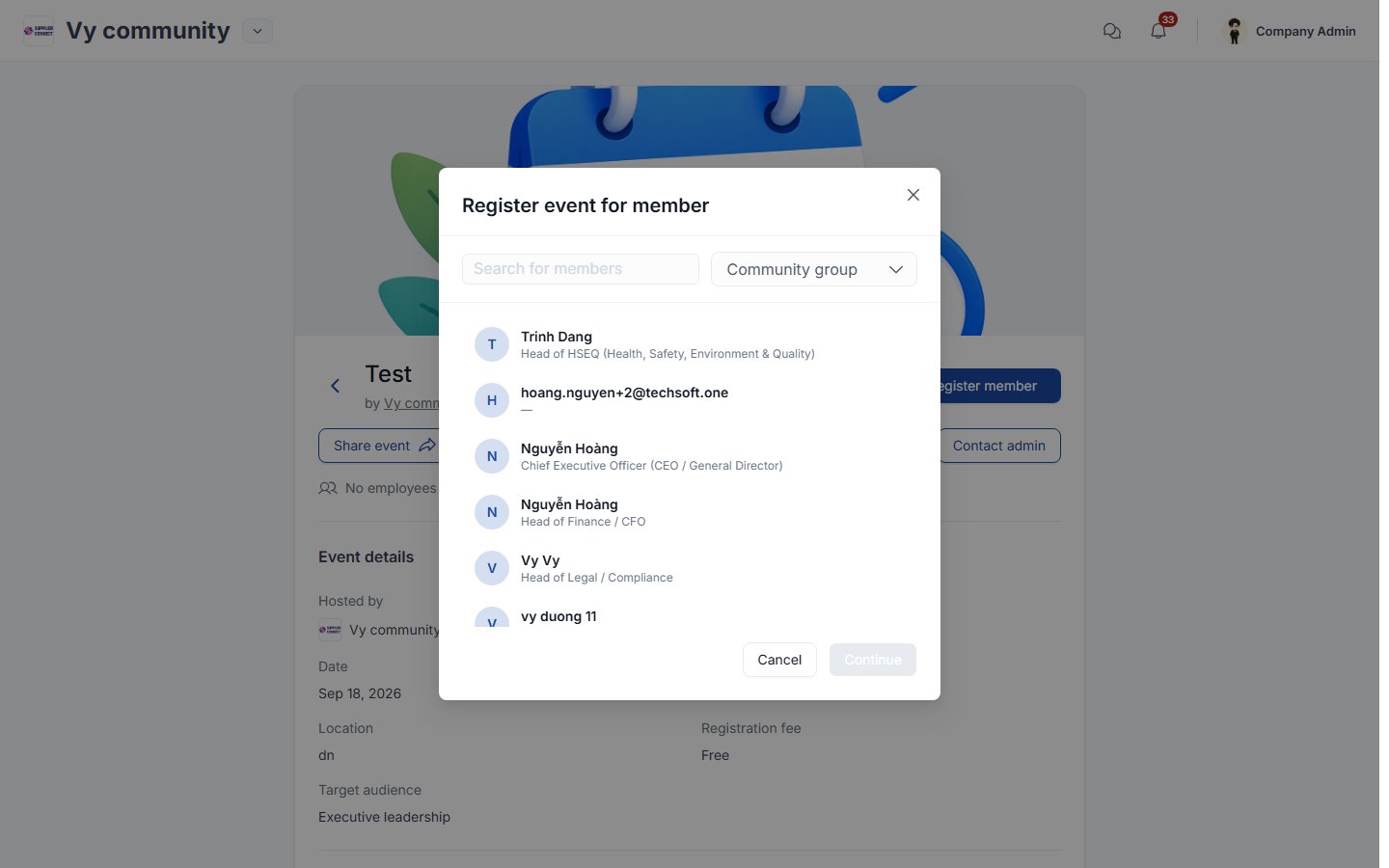 Search for a colleague (or filter by community group), select them, and click **Continue**. Company admins also pay the fee when an employee chooses **Request payment** for a paid event.
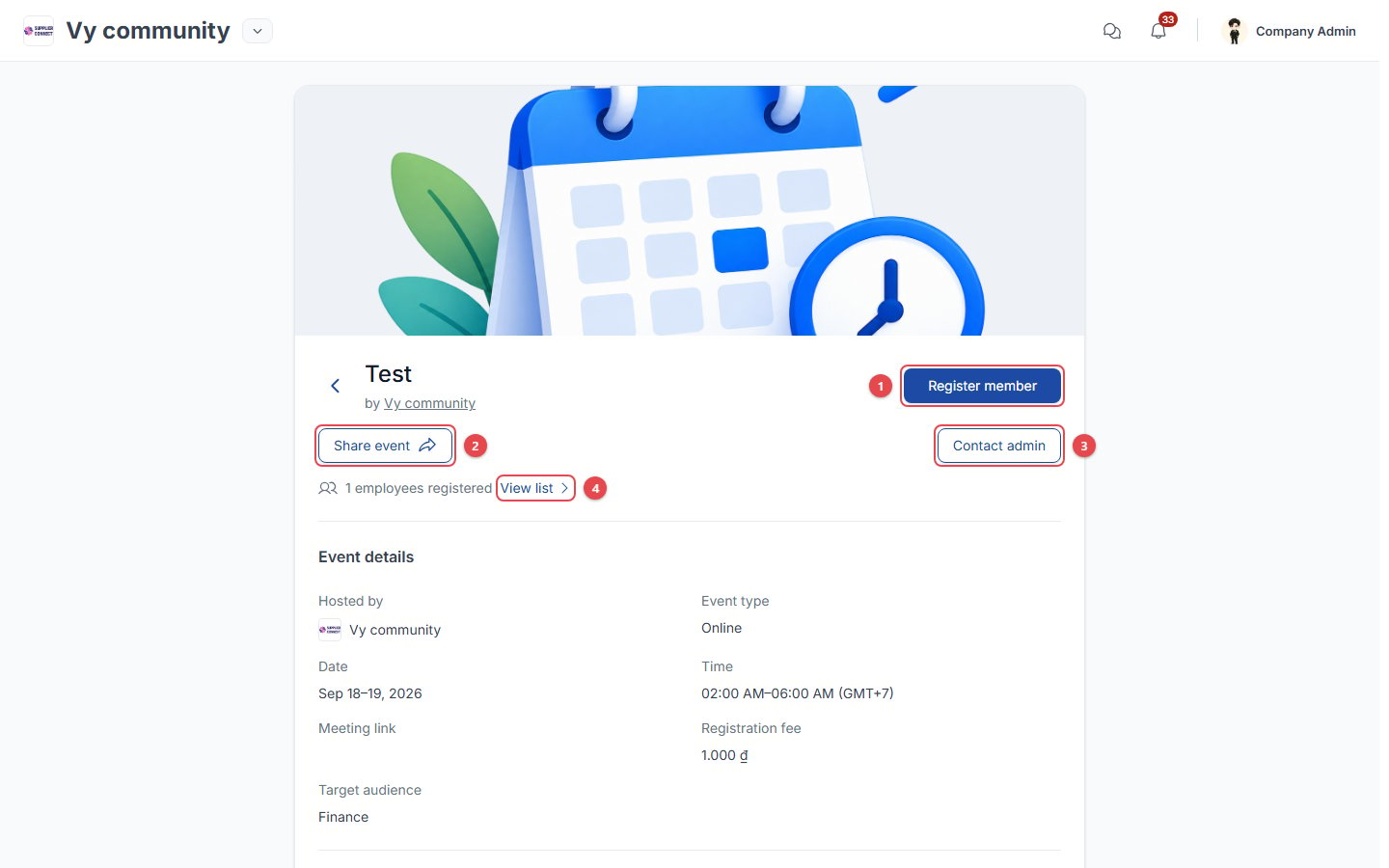 1. **Register member**: register a colleague (see above).
2. **Share event**.
3. **Contact admin**.
4. **View list**: see which of your employees are registered.
This documentation is built and hosted on [Mintlify](https://mintlify.com), a developer documentation platform.
1. **Register member**: register a colleague (see above).
2. **Share event**.
3. **Contact admin**.
4. **View list**: see which of your employees are registered.
This documentation is built and hosted on [Mintlify](https://mintlify.com), a developer documentation platform.