> ## Documentation Index
> Fetch the complete documentation index at: https://docs.together-vietnam.com/llms.txt
> Use this file to discover all available pages before exploring further.
# Your profile and company profile
> Edit your personal profile and see what's on your company profile.
## Your profile
Open it from the account menu → **View profile**.
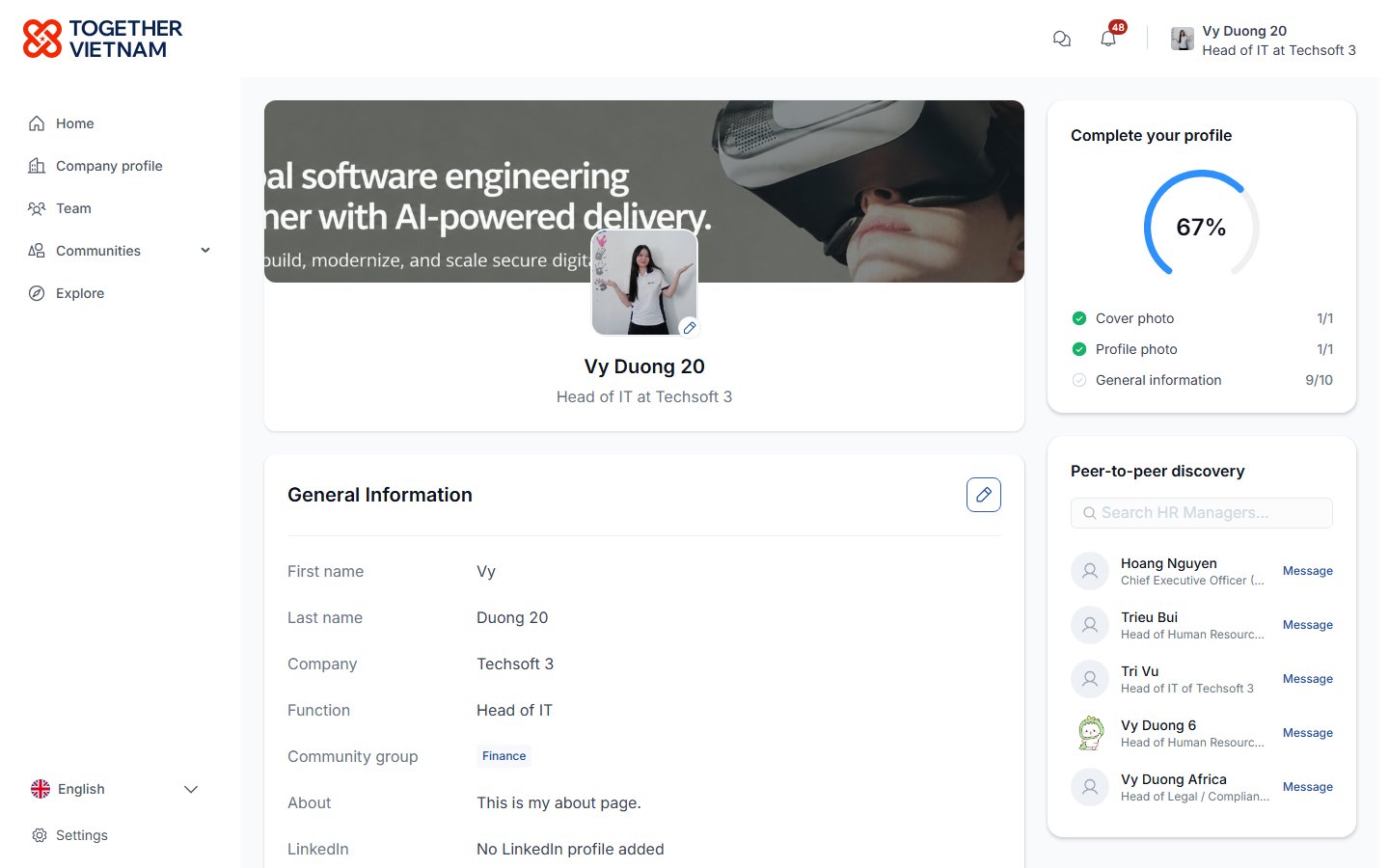 * **Cover photo** and **profile photo**: use the ✏️ icons.
* **General Information**: click ✏️ to edit your name, phone, date of birth (not shown to others), LinkedIn and About.
* Only your company admin can change your **Company**, **business email** and **Community group**.
* **Complete your profile**: shows what's missing.
* **Peer-to-peer discovery**: people you may want to message.
## Company profile
* **Cover photo** and **profile photo**: use the ✏️ icons.
* **General Information**: click ✏️ to edit your name, phone, date of birth (not shown to others), LinkedIn and About.
* Only your company admin can change your **Company**, **business email** and **Community group**.
* **Complete your profile**: shows what's missing.
* **Peer-to-peer discovery**: people you may want to message.
## Company profile
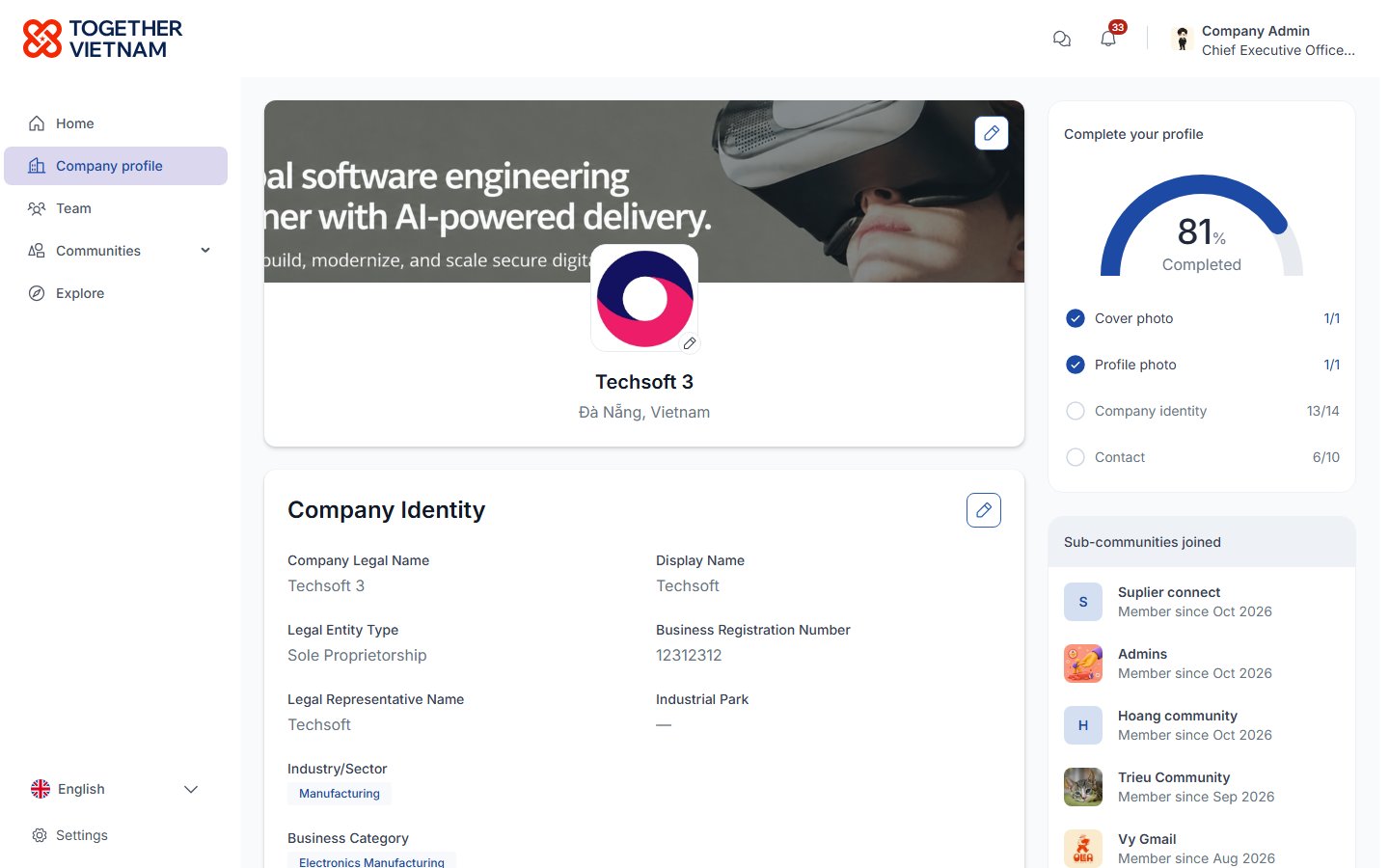 The company profile includes:
* Company identity
* Description
* Contacts and socials
* Cover and logo
* **Sub-communities joined**
* **Projects joined**
The completion card shows which parts are still empty. Company admins can edit each section.
This documentation is built and hosted on [Mintlify](https://mintlify.com), a developer documentation platform.
The company profile includes:
* Company identity
* Description
* Contacts and socials
* Cover and logo
* **Sub-communities joined**
* **Projects joined**
The completion card shows which parts are still empty. Company admins can edit each section.
This documentation is built and hosted on [Mintlify](https://mintlify.com), a developer documentation platform.